Agencies
Need reliable frontend execution without expanding your in-house team? We act as your backend delivery partner.


We convert Figma designs into clean, production-ready HTML that developers actually enjoy working with...
 Figma
Figma  Photoshop
  PDF
PDF  Illustrator
  Adobe XD
 Your design is precise. Your frontend should be too.
Yet most Figma to code conversions fall apart in execution, spacing inconsistencies, broken responsiveness, bloated CSS, or code that developers struggle to reuse.
That's where our Figma to HTML conversion services stand apart.
We convert Figma designs into clean, production-ready HTML that developers actually enjoy working with. Whether you're an agency outsourcing frontend work or a SaaS team preparing for launch, we deliver output that's accurate, scalable, and ready for deployment from day one. Prefer a visual-first platform with built-in hosting and CMS? See our Webflow development services for Figma-to-Webflow builds. Working from Sketch, Adobe Illustrator, PDF, or InVision instead? See our Sketch to code conversion services.
Hand Coded Zero Auto Generated Markup
Share your Figma link or upload PSD, XD, Sketch files through our secure order form.
We analyze design complexity and send a fixed-price quote within 12 hours no surprises.
Senior developers convert every pixel into clean, validated, responsive HTML & CSS.
Receive fully tested, production-ready code with a live preview link and integration guide.
Every project includes responsive layout, cross-browser testing, SEO friendly markup, and pixel-perfect accuracy.
Transform your primary design into a dynamic, high-converting masterpiece with full interactivity
Expand your website seamlessly with perfectly matched, content-ready secondary templates
We deliver both. Your choice depends on your project's goals, scale, and how often content changes.
Lightning fast, zero dependency websites
Scalable, CMS-ready architecture
Most issues in frontend development don't come from complexity, they come from lack of attention to detail.
We've built our service around eliminating that gap.
Here's what you can expect when working with us:
Start a ProjectWe don't mix backend or full-stack distractions. Our focus is strictly UI-to-code conversion, which reflects in accuracy.
We've worked with agencies and product teams across the USA, UK, and Canada, adapting to their workflows, expectations, and timelines.
Not "close enough." We match spacing, typography, alignment, and responsiveness exactly as designed.
You'll always know what's happening. Clear timelines, quick responses, and no ambiguity.
Tight deadlines are handled through a repeatable, optimized workflow, not rushed coding.
We adapt to your tech stack instead of forcing ours.
HTML5, CSS3, SCSS / SASS
Bootstrap, Tailwind CSS
Figma (Dev Mode, Inspect), Zeplin
W3C validation, Cross-browser testing tools
Precision isn't luck. It's process-driven.
We go beyond just opening your Figma file.
We also align on the output format, whether you need Bootstrap, Tailwind, or clean HTML CSS.
Before development starts, we:
This step reduces rework later.
This is where execution matters most.
We implement figma to responsive HTML using a mobile-first approach to ensure consistency across devices.
We test across:
Every breakpoint is validated to avoid layout shifts or UI breaks.
We run detailed comparisons against your Figma design:
This is where quality is locked in.
You receive:
We also assist your team during integration if needed.
A full year of dedicated support after delivery bug fixes, browser updates, and guidance included.
Need a tweak? Small adjustments and refinements are always on us no extra charges, no hassle.
We iterate until you're completely satisfied. Your approval is the only metric that matters.
If your workflow separates design and development, this service becomes essential.


Need reliable frontend execution without expanding your in-house team? We act as your backend delivery partner.

Speed matters. So does UI quality. We help you launch faster without compromising design accuracy.

You've done the hard work in design. We make sure it translates perfectly into code.

Building multiple modules or dashboards? We create scalable frontend structures for consistency.

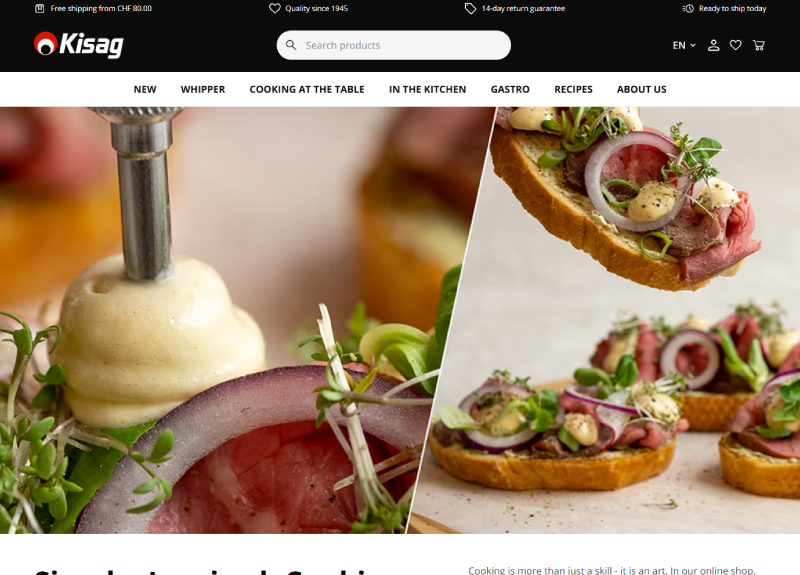
A clean and modern website developed using HTML, Tailwind CSS, JavaScript, and jQuery for fast performance and smooth interaction.

A modern, responsive website for cloud medical imaging software for radiology clinics.

Online casino website with clean and professional multi-page UI/UX.
Figma to HTML conversion is the practice of turning Figma design files into clean, semantic, responsive HTML, CSS, and JavaScript that matches your design pixel-for-pixel. It is different from a generic design-to-code service because Figma offers structured information (Auto Layout, Components, Variants, Component Properties, Variables / design tokens, Dev Mode) that a competent agency consumes directly rather than rebuilding from a flat screenshot — preserving your design system in the resulting markup rather than redrawing it by eye. For other source formats see our broader design to HTML conversion service.
Auto Layout becomes flex / grid CSS with the same direction, gap, padding, and alignment values your designer set. Components become reusable HTML partials or — for SPA stacks — React/Vue/Angular components with typed props. Variants and Component Properties map onto modifier classes or props (a Button variant becomes .btn--primary, .btn--ghost; a Card with a "size" property becomes data-size="sm"). Variables (Figma's design tokens) flow into CSS custom properties (--color-primary, --space-4) so the design system lives in code the way it lives in Figma.
Yes. We use Dev Mode to read measurements, copy CSS hints, inspect Auto Layout settings, and extract assets in the formats we need (SVG for icons, WebP for photographs, AVIF where it makes sense, 1×/2×/3× for raster images destined for retina). Dev Mode informs our work — it does not replace hand-coding. Anything Dev Mode produces is a starting hint, not the shipped markup.
We hand-code, full stop. AI converters (Locofy, Anima, Figma Make, Bookmark, Builder.io's Visual Copilot) are useful at the prototype stage — they get you a clickable mock fast. For anything that ships to real users the cost of cleaning up AI-generated markup (collapsing nested divs, fixing accessibility, repairing responsive breakpoints, removing unused CSS, repairing semantics) almost always exceeds the cost of hand-coding from scratch. We have migrated 30+ client projects off AI-converter output to hand-coded HTML; the average Lighthouse mobile score jump was from 52 to 89.
Your choice. Hand-rolled CSS with CSS Custom Properties and BEM-style class names — our default for the cleanest, smallest possible output. Tailwind CSS when your team is already on Tailwind and the design system maps to utility classes — we tokenise your Figma Variables into tailwind.config.js. Bootstrap 5 when you need rapid scaffolding or your team is fluent in Bootstrap — we still hand-write the layout, just on top of Bootstrap utilities. We do not have a preference we will force on you.
Every page we ship is responsive across mobile (≤480px), tablet (481–1024px), and desktop (≥1025px), tested on iOS Safari (latest + previous major), Chrome Android, plus the latest Chrome / Firefox / Safari / Edge on desktop. If your Figma file includes specific tablet or large-desktop frames, we honour those breakpoints exactly. Mobile-first by default — we write the smallest layout first and progressively enhance to larger viewports.
Yes. The same Figma-to-component workflow runs on framework targets too — see our design to React & Angular conversion service for SPA packages, our React.js development services for component-library builds, or our Vue.js development services for Vue 3 + Composition API. The Figma audit, component-map, and design-token extraction phases are the same; only the output target changes.
Inner pages start at $99 and home-page conversions at $159. A standard page typically takes 24–72 hours; a 5–8 page marketing site runs 5–10 business days; larger sites and ones with complex interactions are delivered in structured phases with weekly checkpoints. We confirm fixed scope and timeline in writing before kickoff.
Whether you need a full website, a unique feature, or a complex integration just share your details. Our developers will review your project and get back to you with the perfect plan to bring your vision to life.